
Hytale launched into Early Access in January 2026 and pulled in millions of players — most of them Minecraft veterans looking for what comes next. If that’s you, you have a genuine head start. The block-based world, the crafting loops, the survival instincts — they all carry over. But Hytale isn’t Minecraft with better graphics. It’s a deeper, more system-driven game, and several of those systems will catch you completely off guard if you approach it the same way.
The most expensive mistake new players make is spending their first two hours exploring and fighting before activating the Memory System. That single oversight erases all creature progress from those hours. It’s entirely avoidable if you know about it before you spawn.
This guide covers everything you need to go from the title screen to a confident first night: world settings, your first 10 minutes, the core survival loop, Memory System activation, combat mechanics, death penalties, and how Hytale’s 48-minute day fundamentally changes how you should play. Minecraft comparisons throughout.
Verified on Hytale Early Access, January–March 2026. Mechanics may change with future updates.
Quick Start: Your First Hour in 10 Steps
- Configure world settings before spawning — Set Inventory Penalty to Partial Drop, disable Fall Damage, turn off PvP.
- Collect Plant Fibers, Sticks, and Stone Rubble — Break bushes and pick up rocks near spawn. These unlock your first tools.
- Press TAB to open pocket crafting — Craft a Crude Hatchet, Crude Pickaxe, and Crude Sword. No workbench needed.
- Cut a tree at the base — The whole tree falls with gravity. Collect logs, sticks, and sap in one pass.
- Craft a Workbench — Via pocket crafting: 4 Logs + 3 Stone. Place it inside a shelter or nearby structure.
- Find the Forgotten Temple Gateway on your map — Head there before exploring widely. This is your first priority.
- Activate the Heart of Orbis statue — Interact with it inside the Forgotten Temple. The Memory System is NOT retroactive. Do this first.
- Craft Crude Torches before going underground — Available from pocket crafting. Caves are dark and hostile.
- Place a Mattress/Bed inside your shelter — Sets your respawn point. Without it, you respawn at world origin.
- Don’t panic about nightfall — You have roughly 32 real-world minutes of daylight. Hytale’s day is 2.4× longer than Minecraft’s.
World Settings: Configure These Before You Spawn
In Minecraft you pick Easy, Normal, or Hard and start. Hytale gives you a full settings panel before your world generates, and a few choices here will define your entire early experience [2].
Inventory Penalty on Death is the most critical setting. Three options:
- None: Keep everything on death. Ideal for players who want to focus on learning the world without setbacks.
- Partial Drop (default): Lose roughly 50% of your consumables and resources — some destroyed, some dropped at the death site — plus 10% durability across all equipped gear. Sliders let you tune each percentage separately.
- Drop All: Everything on the ground, Hardcore-style. Not recommended for your first world.
Recommendation for beginners: Keep Partial Drop, but reduce resource loss to 30% and durability loss to 5% using the sliders. You still feel consequences without losing two hours of progress in a single bad fight. If you want zero pressure while learning, set Inventory Penalty to None for your first few days.
Other settings to set before spawning [2]:
- Fall Damage: OFF for your first few hours. Zone 1 terrain has cliffs that will kill you repeatedly before you’ve learned the lay of the land.
- PvP: OFF unless you’re playing with friends who intend to fight each other.
- Day/Night Cycle Speed: Leave at 1× (default). The 48-minute day already gives you plenty of time — no need to adjust until you understand the rhythm.
Play in Exploration Mode — not Creative. Creative removes all survival mechanics, so you won’t learn the actual game loop. Open a separate Creative world any time you want to experiment with building.
Your First 10 Minutes After Spawning
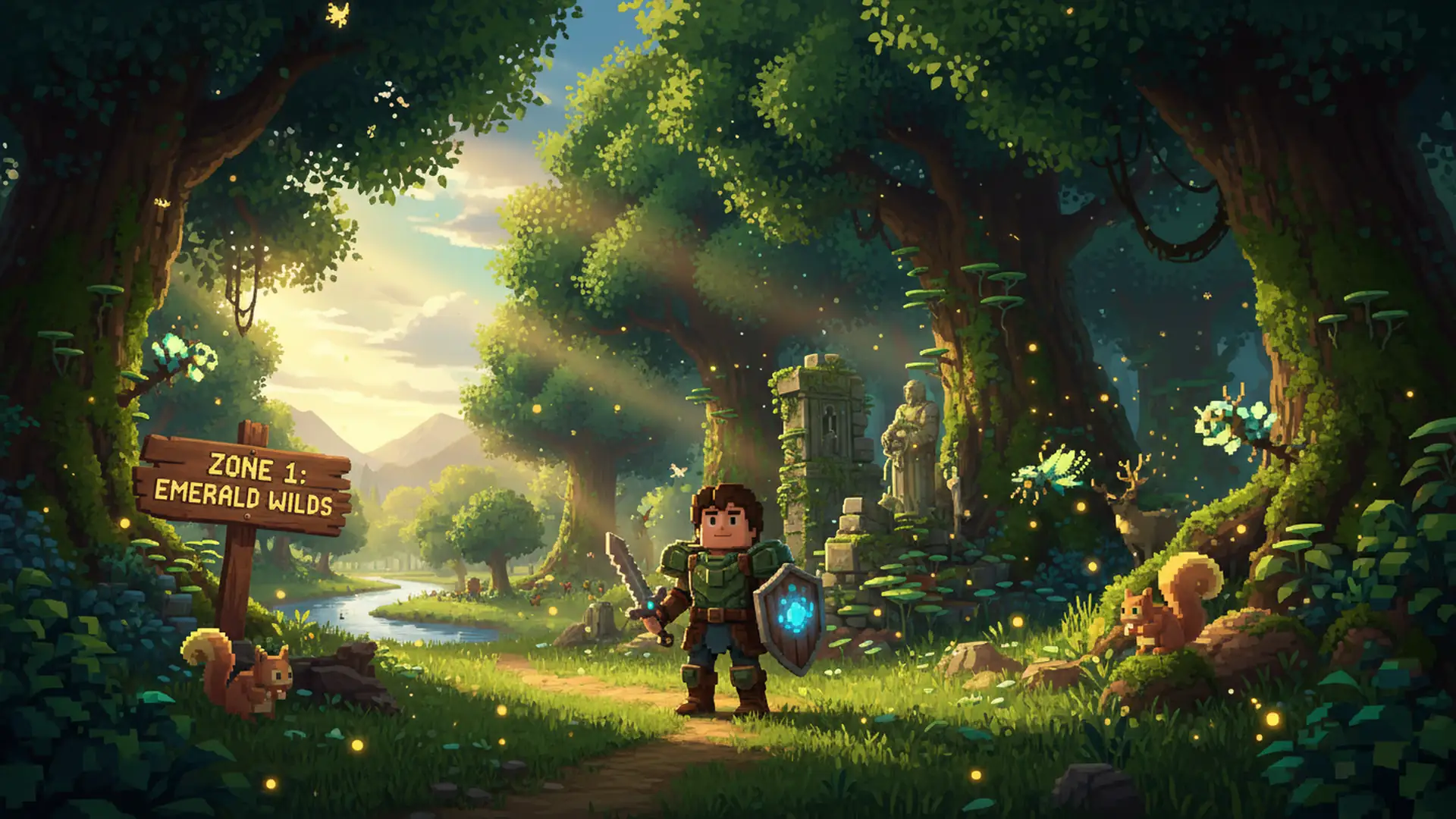
You appear in Zone 1 — the Emerald Wilds — with no tutorial, no marker quest, and no voice telling you what to do. That’s intentional [5]. Here’s what to prioritise:
First 3 minutes — gather near spawn: Break every bush in reach to collect Plant Fibers and Sticks. Pick up Stone Rubble from the ground. Don’t wander yet — the spawn area is safe by design and fully stocked with what you need for your first tools [1].
You might also find hytale dungeons guide helpful here.
Press TAB to open pocket crafting — Hytale’s portable recipe system that requires no workbench. Unlike Minecraft’s inventory 2×2 grid, it’s a catalogue you browse. Craft immediately:
- Crude Hatchet — dramatically speeds up tree-felling
- Crude Pickaxe — required for stone mining
- Crude Sword — your first effective weapon
Now cut a tree — at the base. Here’s a key Hytale difference from Minecraft: when you break the lowest trunk block, the entire tree falls with gravity [3]. You don’t chase individual blocks up the canopy hoping for sticks. The whole tree collapses and drops logs, sticks, and sap at once. Step back after the cut and collect everything.
Minutes 3–7 — check every abandoned structure you find: Zone 1 is seeded with ruined buildings — old homes, small forts, buried camps. Don’t skip them. They contain crafting stations, storage chests with starter loot, and sometimes a workbench you can use without building your own [9]. These are efficient resource stops.
Minutes 7–10 — workbench and shelter: Use pocket crafting to build a Workbench (4 Logs + 3 Stone). Find a structure to shelter in or build a simple 3×3 room. Place the Workbench inside. You need four walls and a roof — nothing elaborate. This is enough for your first night. Then check your map for a nearby temple.
You might also find hytale curseforge prefabs helpful here.
The Core Survival Loop: Resources to Shelter
Hytale’s crafting chain runs: pocket crafting → Workbench → specialised workbenches. Each tier unlocks more recipes. You’ll eventually need multiple dedicated benches [3].
Priority order for your first session:
- Workbench — the gateway to all advanced crafting
- Builder’s Bench — converts raw logs and stone into polished building blocks. You need this to build anything structurally solid.
- Chef’s Stove — cooks food for timed combat buffs. Since Hytale has no hunger system, food is purely offensive advantage.
- Farmer’s Workbench — seeds, crops, Essence of Life. Focus on this once you’re established.
One major QoL advantage over Minecraft: Place a chest adjacent to any workbench and it automatically pulls materials from that chest while you craft [3]. You don’t need to fill your inventory before every crafting session. Set up your crafting room once with chests beside each bench and your workflow becomes dramatically cleaner than anything Minecraft offers.
Iron warning for Minecraft players: In Minecraft, iron caves appear within your first hour. In Hytale, iron only appears deep underground in dangerous cave systems [3]. Don’t plan your early gear around iron. The progression is Copper and Stone tools first, then iron once you’re prepared to go deep. Rushing iron caves before you’re ready is one of the most common early deaths.
Repair Kits replace the anvil entirely. Craft them from 2 Linen Scraps + 1 Iron Ingot + 1 Light Leather. They work directly from your inventory, anywhere in the world [3]. Each use permanently lowers the item’s maximum durability ceiling by 10%, so save them for gear worth keeping — not early crude tools.
The Memory System: Your Most Important First Decision
The Memory System is Hytale’s central progression mechanic, and it contains a trap that catches almost every new player — including experienced Minecraft players who know how to play survival games.
Here’s how it works: creatures throughout the world drop glowing Memory Sparks when you’re within 5–6 blocks of them. Collecting sparks fills your Memory collection — effectively a creature bestiary. At milestone counts, you unlock major rewards [1]:
- 10 Memories: basic crafting recipes unlock
- 25 Memories: crafting progression expands further
- 50 Memories: Morph Potions (temporarily become animals)
- 100 Memories: Backpack Upgrade II (+27 inventory slots) + Ancient Gateway fast-travel system
The 100 Memories milestone is where Hytale opens up significantly. Treat it as your first major long-term goal.
The trap: The Memory System only tracks creatures after you’ve activated the Heart of Orbis at the Forgotten Temple. If you spend your first two hours exploring and fighting before activating it, every creature you encountered during that time counts for nothing. The system is explicitly NOT retroactive [4]. The non-retroactive rule feels obvious in hindsight, but it’s not mentioned anywhere in the game itself — it’s the kind of thing you only learn by walking into it.
How to activate the Memory System:
- Look for a temple structure marked on your map — it appears near spawn
- Head to the Forgotten Temple Gateway. Defeat or bypass the golem at the entrance — a Crude Sword is enough [6]
- Enter the underground portal gateway
- Inside the Forgotten Temple hub, find the Heart of Orbis statue and interact with it
- Memory tracking is now live
You don’t need to kill creatures to record them — just being within range is enough. This means you rack up Memories simply by exploring, even when you’re not actively fighting.
If you already explored without activating (fail-safe): Don’t stress. The Memory cap is 48 slots and Zone 1 alone has dozens of unique creature types. Activate the Heart of Orbis now, then focus on biomes and zones you haven’t visited. You likely built a better base than players who rushed the Temple first — use that advantage going forward.
Coming from Minecraft?
Five things Minecraft players consistently get wrong in their first Hytale session:
- Don’t punch the wood first — Start with bushes and stone rubble. Crude tools need Plant Fibers and Rubble, not logs.
- No hunger bar — Food gives timed combat buffs (attack speed, stamina regen, healing), not hunger prevention. You won’t starve, but you’ll fight weaker without cooked food.
- No anvil — Repair Kits replace it entirely. Craft them anywhere from Linen Scraps + Iron Ingot + Light Leather.
- Trees fall with gravity — Cut the trunk at ground level, step back, collect the whole tree at once. No block-by-block climbing needed.
- Light attacks are free — stamina isn’t for attacking — Regular swings in Hytale cost zero stamina. What drains it is blocking absorbed hits, sprinting hard, and charged attacks. See the combat section below for the full breakdown.
For a full system-by-system breakdown of both games, see our Hytale for Minecraft Players guide. Already know Minecraft well? Our Minecraft Beginner’s Guide and Minecraft Progression Guide are on the site too.
Combat Basics: Weapons, Stamina, and Special Attacks
Minecraft combat is swing, occasionally block, repeat. Hytale has more mechanics at play — but they’re intuitive once you understand the core rules.
Weapon types in Early Access [7]:
| Weapon | Attack Style | Best For |
|---|---|---|
| Swords | Balanced combo + lunging charged stab | Beginners — most forgiving all-rounder |
| Daggers | Fast combo + forward-pouncing charge attack | Aggressive, mobile playstyle |
| Battleaxes | Slow, powerful + whirlwind ultimate | Crowd clearing |
| Maces | Slowest, wide AoE sweep | Surrounded by multiple enemies |
| Bows / Crossbows | Charged arrow, triple-shot ultimate | Distance attacks and safe scouting |
| Staves | Elemental spells, mana-dependent | Mid-game magic builds |
Start with a Crude Sword. It’s the most forgiving early weapon — decent damage, enough range to stay safe, and fast enough to interrupt most Zone 1 enemy attacks.
The four controls you need to know:
- M1 (click): standard attack
- M1 (hold): charged attack — more powerful, triggers the weapon’s special move [5]
- M2 (right-click): block
- Q: Signature special attack (when the energy gauge is full)
The stamina rule that trips up Minecraft players: Light attacks in Hytale don’t drain your stamina [4] — you can swing freely without managing an attack energy pool the way you track durability or hunger in Minecraft. What does drain stamina is blocking absorbed hits, sprinting hard, and charged attacks. If your stamina runs low, your sprint speed drops and blocking becomes risky. Don’t turtle behind your shield for extended stretches against groups. Hytale rewards aggression: swing freely, use charge attacks to break enemy animations, and block only when it counts.
Signature Energy: Every hit you land fills a blue gauge around the special attack icon. When full, press Q for your weapon’s ultimate — battleaxes launch a whirlwind, daggers chain into a rapid combo, bows fire a triple shot [7]. The gauge resets if you switch weapons mid-fight, so commit to one weapon type per encounter.
Beginner technique: Charged attacks (M1 hold) interrupt enemy attack animations. Watch an enemy wind up their swing, then release a charged attack just before they land it — this breaks the animation and opens a free hit window [5]. Learning this rhythm is the core skill jump in Zone 1 combat.
For weapon crafting recipes, tier lists, and in-depth mechanics, see our Hytale Weapons Guide.
Death Mechanics: What You Lose and How to Recover
Death in Hytale sounds worse than it is once you understand the actual numbers.
On default Partial Drop settings, dying costs you [1]:
- ~50% of your consumables and resources destroyed (gone permanently)
- ~50% of your consumables and resources dropped at the death location
- 10% durability from every equipped weapon, tool, and piece of armour
Translated: you keep roughly half your resources on your person. The other half splits evenly between permanently gone and on the ground at your death site. You’re losing a quarter of your resources permanently, and can recover another quarter if you return quickly. It’s not catastrophic.
Finding your grave: A marker appears on your compass immediately after dying. Open your map (M key) and look for the gravestone icon. Reach it before the despawn timer runs out [9].
Why your grave might be empty when you arrive: Cave depth is the most common cause. The grave marker shows X/Z coordinates, but not Y (vertical level). If you died in a multi-floor cave system, you might be standing at the right horizontal position but on the wrong cave level.
What permanently survives death: Backpack upgrades. The Basic Backpack (+9 slots), Upgrade I (+18 slots), and Upgrade II (+27 slots) are permanent account unlocks — not inventory items at risk. The contents of those extra slots can drop; the upgrade itself never does. Backpack upgrades are always a safe long-term investment.
How Long Is a Hytale Day? (And Why It Changes Everything)
One Hytale day lasts 48 real-world minutes [8]. Minecraft’s default is 20 minutes. That’s 2.4× longer — and it fundamentally changes the pacing of everything.
In Minecraft, the 10-minute daylight window trains a specific urgency: punch wood, craft fast, build before dark. Many players carry that anxiety into Hytale without realising the pressure doesn’t exist here.
In a standard Hytale day you have roughly 32 real-world minutes of daylight before night. That’s enough time to:
- Gather full stacks of starting resources near spawn
- Locate and search several abandoned structures
- Build a functional first shelter
- Find the Forgotten Temple Gateway
- Activate the Heart of Orbis and return home
If you rush Hytale at Minecraft pace, you’ll walk straight past structures, skip creature encounters, and miss resources that would make the rest of your session smoother. Slow down. Explore the structures. Read the terrain. The daylight is on your side.
Night in Hytale isn’t just a threat to survive. Void Spawn enemies appear at night in Zone 1, and they drop Essence of the Void — a critical material for crafting the Arcanist’s Workbench and Teleporters. Once you have basic iron gear, Hytale nights become active farming windows, not just something to shelter through.
Adjusting the cycle: World settings offer Day/Night speed at 0.5×, 0.75×, 1× (default), 1.5×, and 2× [2]. At 2× speed, a full day runs 24 minutes — much closer to Minecraft’s pace. At 0.5×, a day stretches to 96 minutes for a deeply immersive experience.
Hytale vs Minecraft: Quick Comparison
| Feature | Hytale Early Access | Minecraft Java |
|---|---|---|
| Day length | 48 real minutes | 20 real minutes |
| Hunger system | No hunger bar — food gives timed combat buffs | Hunger bar with starvation damage |
| Combat | 6 weapon types, Signature Energy, charge attacks | One weapon slot, sweep attack |
| Death penalty | ~50% resources split lost/dropped, 10% durability | Full inventory drop (Survival default) |
| Crafting | Pocket crafting (TAB) + 8+ specialised workbench types | 2×2 inventory grid + single crafting table |
| Trees | Fall with gravity when trunk is cut | Break block by block |
| Sticks | Drop directly from trees and bushes | Crafted from wooden planks |
| Chest access | Workbenches auto-pull from adjacent chests | Manual inventory transfer only |
| Tool repair | Portable Repair Kit (no station required) | Anvil + matching material or grindstone |
| Iron availability | Deep caves only — scarce in early game | Surface and shallow caves |
| Mods | Server-side, auto-sync on join via CurseForge | Client-side (Forge/Fabric/NeoForge) |
| Price | $19.99 (Early Access) | $29.99 |
Which Type of Player Are You?
| If you are… | Prioritise first | Skip until later |
|---|---|---|
| New to survival games | World settings (set death penalty to None), Memory System activation, basic shelter | Combat optimisation, Zone 2, deep caves |
| Casual Minecraft player | Memory System trap, workbench chain, the Minecraft differences callout above | Advanced crafting, server hosting, modding |
| Experienced Minecraft player | Memory System non-retroactive warning, stamina vs blocking distinction, iron scarcity | Basic gathering — you already know this loop |
| Hardcore optimiser | Night Void Spawn farming for Essence of the Void, chest-adjacent workbench setup, backpack upgrade investment priority | Tutorial sections — go straight to zone deep dives |
What to Do Next
Three priorities define your first Hytale session, in order:
- Activate the Heart of Orbis before you explore — Every creature encounter before activation is wasted Memory progress. This is the single most time-sensitive decision in the entire early game.
- Use your 32 minutes of daylight — Don’t rush with Minecraft urgency. Explore structures, collect everything within reach, find the Forgotten Temple, and return home before dark rather than barely building in time.
- Stay with one weapon type per fight — Switching mid-combat resets your Signature Energy gauge. Learn the charge attacks for a single weapon — sword is safest — before branching out.
When you’re ready to go deeper:
- Hytale Boss Guide — all Zone 1 bosses, minimum gear, and fight-by-fight strategy
- Hytale Server Setup Guide — how to play with friends, including the share-code security warning
Sources
- Beginner’s Guide to Hytale: Tips and Tricks — Game8
- Hytale World Creation and Settings Guide — AllThings.How
- 10 Things I Wish I Knew Before Starting Hytale — Kotaku
- Hytale Beginner’s Guide — SkyCoach
- First Steps in Hytale — GPORTAL
- Hytale Beginner Tips: 8 Tricks for a Perfect Start — 4NetPlayers
- Hytale Weapons Guide: All Weapons, Mechanics & More — BisectHosting
- Mastering Time and the Day-Night Cycle — Hytale.game (Official)
- The Best Tips To Get You Started In Hytale — TheGamer

I've been playing video games for over 20 years, spanning everything from early PC titles to modern open-world games. I started Switchblade Gaming to publish the kind of accurate, well-researched guides I always wanted to find — built on primary sources, tested in-game, and kept up to date after patches. I currently focus on Minecraft and Pokémon GO.