
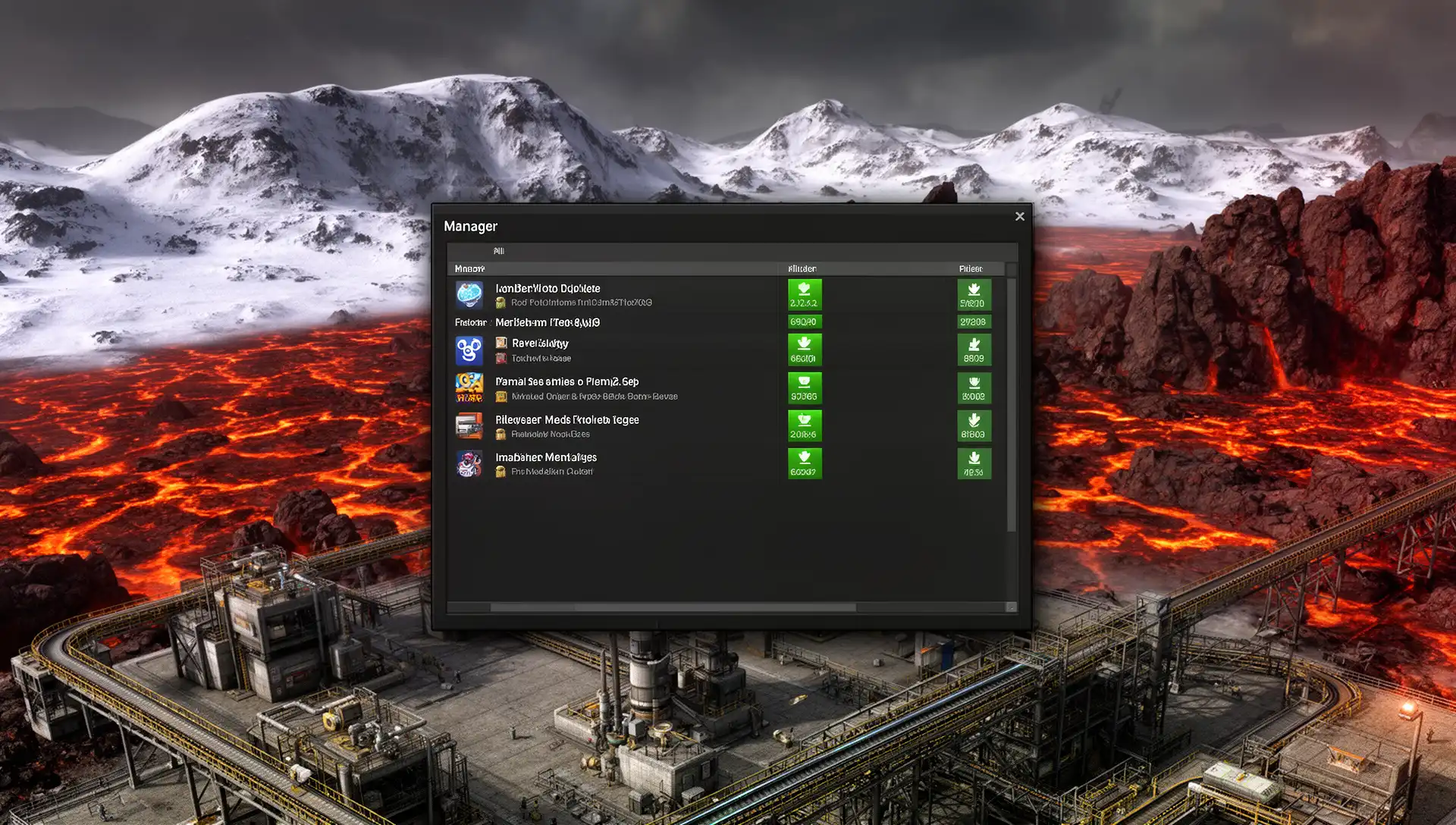
The fastest way to wreck a Space Age run is to copy your Factorio 1.1 mod list into 2.0. The game loads, the factory hums, and three hours in your Krastorio science chain silently stops progressing — because the mod’s own page says it doesn’t support Space Age and you didn’t check.
This guide is built around one question most mod lists skip: does this mod actually load and work correctly in Factorio 2.0 with Space Age active? The answers fall into three tiers — Fully Works, Patch-Required, and Broken — and knowing which tier each mod sits in saves you the save-delete moment at hour 50.
Verified on Factorio 2.0.76 with Space Age enabled, May 2026. Any mod not updated in 2025 or 2026 should be treated as unknown — the 2.0 prototype API change invalidated a significant portion of 1.1-era entity and loader definitions.
Quick Start: 5-Step Safe Mod Install for Space Age
- Play vanilla Space Age first — complete at least one planet transfer before enabling any mod
- Add only QoL mods initially — Squeak Through 2, Even Distribution, and Bottleneck as your first three
- Test in a fresh save — never add untested mods to an active save; use a 30-minute test world to confirm stability
- Check mod portal update dates — any mod untouched since 2024 is high-risk; filter the mod portal by Factorio 2.0 compatibility before enabling
- Install overhauls with their bridge mods — Krastorio 2 requires Krastorio 2 Spaced Out; Bob’s requires Space Age x Bob’s Compatibility; never run the base overhaul mod alone with Space Age active
What Space Age 2.0 Changed (and Which Older Mods It Made Redundant)
Space Age restructured three things that affect almost every major mod category:
Quality is now vanilla. Factorio 2.0 ships the Quality mechanic as a core feature when Space Age is active. Any mod that added quality-like tier systems in 1.1 either overlaps or conflicts with this native implementation. Most were abandoned by their authors after the expansion launched rather than rewritten for compatibility.
Space platforms replaced transit-layer mods. Space Exploration’s entire architecture is built around a custom planet-travel system — rockets, orbital stations, and its own research progression. Space Age handles this natively with four planets, space platform construction, and a dedicated research tree. The two systems can’t occupy the same game simultaneously because they control the same game layer. Space Exploration has been ported to Factorio 2.0 as version 0.7.x, but its creator explicitly stated the mod is not designed for co-play with the Space Age DLC [13].
Planet surfaces now have explicit scoping. Mods that applied global terrain changes in 1.1 need to scope their effects to individual surfaces in 2.0. Alien Biomes handles this correctly — when Space Age is active, it modifies only Nauvis and leaves Vulcanus, Fulgora, Gleba, and Aquilo untouched [4]. Terrain mods without 2.0 updates may fire on all surfaces, producing visual corruption or broken tile behavior on Space Age planets.
Space Age Mod Compatibility Matrix
The three tiers that actually matter in practice [7]:
- Fully Works — loads cleanly, integrates with Space Age research, no progression breaks
- Patch-Required — base mod loads but needs a dedicated bridge mod for Space Age co-play
- Broken — either won’t load, or loads and silently breaks progression
| Mod | Category | Space Age Status | Steam Achievements? |
|---|---|---|---|
| Squeak Through 2 | QoL | Fully Works | No (all mods block Steam sync) |
| Even Distribution | QoL | Fully Works | No |
| Bottleneck | QoL | Fully Works | No |
| Far Reach | QoL | Fully Works | No |
| Rate Calculator | QoL | Fully Works | No |
| FNEI | Planning | Fully Works | No |
| Helmod | Planning | Fully Works | No |
| Factory Planner | Planning | Fully Works | No |
| Alien Biomes | Visual | Fully Works (Nauvis only) | No |
| Bullet Trails | Visual | Fully Works | No |
| LTN | Logistics | Fully Works (with caveats) | No |
| Krastorio 2 (base only) | Overhaul | Broken — progression breaks | N/A |
| K2 + Spaced Out | Overhaul | Fully Integrated | No |
| Space Exploration | Overhaul | Broken with SA active | N/A |
| Bob’s Mods (base) | Overhaul | Patch-Required | No |
| Angels Mods | Overhaul | Patch-Required | No |
| Pyanodons | Overhaul | Partial support (in progress) | No |

10 QoL Mods Confirmed Working in Space Age 2.0
All ten have confirmed Factorio 2.0 support on the mod portal as of May 2026 [6]. If you install only five, start with mods 1, 2, 3, 5, and 7 — that combination covers movement friction, item distribution, production visibility, recipe lookup, and factory planning at near-zero UPS cost.
1. Squeak Through 2
Squeak Through 2 removes the collision boxes from trees, lamp posts, and other obstacles that are logically passable [1]. The original Squeak Through was abandoned in late 1.1; this version was rewritten from scratch with 252,000 active users on the mod portal. It adds per-entity collision settings — you can allow squeezing through trees without disabling collision on belts or walls. The change happens at load time, not runtime, so UPS cost is zero.
When NOT to use: If you run puzzle or maze mods where wall-collision is intentional gameplay.
2. Even Distribution
Vanilla Factorio distributes held items to multiple machines in whatever order the engine processes entities — typically not evenly. Even Distribution overrides this so dragging a held stack across multiple assemblers, furnaces, or agricultural towers splits it into equal portions. The benefit is most visible on Gleba, where distributing biological inputs across clustered agricultural towers without this mod requires manual arithmetic per building. Zero UPS cost.
When NOT to use: No meaningful reason to skip this one.
3. Bottleneck
Bottleneck adds a small LED to every production machine: green for running, yellow for waiting on inputs, red for output backed up [6]. In vanilla, diagnosing a starved assembler requires opening each machine individually. Bottleneck makes the entire factory floor readable in one screenshot. On Fulgora, where electromagnetic plant throughput fluctuates with lightning availability, the yellow/green state cycling across a row of plants is immediately diagnostic.
When NOT to use: On mega-bases with 5,000+ machines, the LED update logic creates minor UPS overhead. Disable it after the initial bottleneck hunt at that scale.
4. Far Reach (also listed as Long Reach)
Far Reach extends your build, mine, and interact range significantly beyond vanilla [6]. On space platforms — where the build surface is constrained but crowded — the vanilla reach limit forces constant repositioning to adjust individual pipes or inserters. Far Reach solves this by letting you place and modify entities from the outer edge of the platform. This is a genuine gameplay change (you gain a capability vanilla doesn’t provide), so Steam won’t register achievements in a modded session, but in-game achievement tracking continues normally.
When NOT to use: If Steam achievement registration matters to you, skip this one specifically — it’s the single QoL mod most likely to feel like a meaningful capability change.
5. FNEI (Factorio Not Enough Items)
FNEI adds a recipe browser for every item in the game: what produces it, what it produces, which technology unlocks it [6]. In vanilla Space Age with four planets and five new science packs, the native crafting menu stops being navigable quickly. FNEI is a lookup tool, not a calculator — it shows ingredient chains one step at a time rather than computing full production trees. Layer it alongside Helmod or Factory Planner rather than treating it as a replacement.
When NOT to use: On a first run if recipe discovery is part of your experience. FNEI eliminates the moment of figuring out a recipe chain yourself.
6. Helmod
Helmod calculates full production chains: given a desired output rate, it returns required machine counts, module configurations, beacon placements, and power draw across a configurable time base from per-second to per-hour [3]. Version 2.2.13 supports Factorio 0.14 through 2.0 and includes multiplayer-shared calculation sheets, which is useful when coordinating interplanetary supply chains across multiple players. With 524,000 users, it is the most widely used planning mod in the game.
The one capability Helmod has that Factory Planner lacks is input-dependent mode: specify a quantity of raw input and Helmod calculates how much finished product that yields, working forward rather than backward. This matters specifically at Gleba, where you’re constrained by harvest rates from agricultural towers rather than a target output figure.
When NOT to use: If the UI feels heavy for your planning style, Factory Planner covers 90% of the same use cases with a lighter interface. No benefit to running both.
7. Factory Planner
Factory Planner is the lightweight alternative for mid-game production planning [6]. It handles the common case — how many assemblers do I need for X items per minute — without Helmod’s full matrix view. The UI loads faster and the learning curve is lower. Where it falls short: no input-dependent calculation mode, and no beacon optimization for complex setups. A practical approach for a Space Age playthrough is starting with Factory Planner and switching to Helmod at the late-game interplanetary logistics phase when you need the extra precision.
When NOT to use: If you’re already running Helmod — they overlap almost entirely and there is no benefit to both.
8. Rate Calculator
Rate Calculator adds a real-time production rate overlay to individual machines: current input consumption and output throughput per minute. Where Bottleneck identifies that a machine is waiting, Rate Calculator quantifies the gap. The combination — Bottleneck for identification, Rate Calculator for measurement — replaces manual ratio arithmetic when a mixed-speed production chain goes off-balance. Particularly useful at space platform scale where belt throughput limits are tight.
When NOT to use: Low value at mega-base scale where throughput is managed via circuit network signals rather than per-machine visual inspection.
9. Alien Biomes
Alien Biomes replaces Nauvis’s default terrain with a richer set of biomes: volcanic stone fields, snow-covered highlands, crater basins, and multi-coloured dirt and grass variants [4]. At 688,000 downloads, it is the most downloaded cosmetic mod in Factorio. With Space Age active, it explicitly scopes only to Nauvis — Vulcanus, Fulgora, Gleba, and Aquilo retain Wube’s original terrain design. The terrain change is applied at world generation, so install this before starting a new save.
When NOT to use: Mid-game on an existing save. Already-generated chunks won’t regenerate, creating a visible seam between old and new terrain at the exploration frontier.
10. Bullet Trails
Bullet Trails adds visible projectile tracers to machine gun ammunition — gun turrets, submachine guns, and vehicle-mounted weapons all gain a tracer effect [5]. Authored by Earendel (a member of the Wube team who worked on the Space Age expansion), it supports Factorio 0.14 through 2.0 at 485,000 downloads. The visual upgrade makes combat zones significantly more readable during the early Nauvis defense phase before laser turrets come online. Zero gameplay change — pure visual.
When NOT to use: On machines where simultaneous particle effects already strain framerate — bullet trails add a small particle count during combat-heavy moments at large turret arrays.
Starter Pack: Three Mods to Install Before Your First Space Age Session
If you want one conflict-free combination to enable before launching Space Age for the first time:
- Squeak Through 2 — removes the single most frustrating movement restriction in the game
- Even Distribution — fixes item distribution so Gleba’s clustered structures work without manual counting
- FNEI — makes the expanded 2.0 recipe graph navigable without guessing
These three have no conflicts with each other or with Space Age, zero UPS cost, and zero risk to existing saves. Add Helmod and Bottleneck once you’ve confirmed the save loads cleanly after the first session.
Large Overhaul Status: K2, Bobs, Angels, Pyanodons, Space Exploration
The decision tree for overhauls is simpler than most guides suggest. The key principle: “loads” does not mean “works.” All of the overhauls below start the game without a crash — but several break progression silently an hour or two in [7].
Space Exploration — do not run with Space Age active. Space Exploration has been ported to Factorio 2.0 as version 0.7.x [13], but the creator has stated explicitly that the mod is not designed for co-play with the Space Age DLC. Both mods control the planet-travel layer of the game, and the two systems are architecturally incompatible. If you want the Space Exploration experience (150–500+ hours, very different progression philosophy), play it on Factorio 2.0 with Space Age disabled.
Krastorio 2 — always install with Krastorio 2 Spaced Out. The K2 mod page states directly: “Krastorio 2 does not properly support the Space Age mod. The game will load, but progression will be broken” [2]. The fix is Krastorio 2 Spaced Out [10], updated to version 1.6.18 in February 2026, which bridges K2’s tech tree with Space Age’s planet progression. Install both together or neither — the base mod alone is not a valid configuration for a Space Age campaign.
Bob’s Mods — loads, but needs a bridge for planets. Bob’s core mods have been updated for Factorio 2.0 and load under Space Age [8]. The specific gap is interplanetary: Bob’s unique ores don’t generate on Space Age planets, so your late-game chains stall when you try to build off-planet. The Space Age x Bob’s Compatibility mod [12] converts Bob’s tungsten to Space Age tungsten and adds planet-appropriate recycling options. Install it alongside Bob’s if Space Age is active.
Angels Mods — active patches, but required. Angel’s Space Age Compatibility add-on [11] has been maintained through February 2026, including loader tier fixes that align Angel’s MK4 and MK5 loaders with Space Age belt colors. Run Angel’s base mods plus this compatibility layer — not the base mods alone with Space Age active.
Pyanodons — partial support as of May 2026. The Pyanodons modpack supports some Space Age features including elevated rails and spoilage mechanics [8], but full integration with space-based content is still in development. The critical caveat: a single incompatible sub-module makes the entire modpack flag as incompatible with Space Age. Check each sub-module’s compatibility status on the mod portal individually before enabling the full pack.
Achievements: What Actually Happens When You Install Mods
The official Factorio wiki states plainly: “A separate instance of achievements will be used when mods are installed and earned achievements will not register with Steam” [9]. This applies to all mods without exception, including pure visual ones like Bullet Trails. The in-game achievement tracker still records your progress — but it won’t sync to your Steam profile.
What this means in practice for Space Age:
- Visual-only mods (Alien Biomes, Bullet Trails): Achievements track normally in-game; Steam count stays untouched
- UI and planning mods (Helmod, FNEI, Factory Planner): Same — in-game tracking works, Steam disconnected
- Gameplay-modifying QoL (Far Reach): In-game tracking works; Steam still disconnected
- Any overhaul mod: Steam tracking is moot — campaign structure changes entirely
If your Steam achievement count matters, the “Unrestricted Achievements (Space Age)” mod re-enables all achievement tracking regardless of what other mods are installed. For most players, the in-game tracker is sufficient.
Install Order and Common Conflicts
The safest sequence, based on the Space Age compatibility guide [7]:
- Verify Space Age runs on a vanilla save — complete at least one planet transfer
- Add 1–3 QoL mods, test for 30 minutes in a separate save
- If stable, add planning tools (Helmod, FNEI)
- Add visual mods before generating the map (Alien Biomes requires a fresh world)
- Add overhaul mods with their bridge mods in a fresh save only — never mid-campaign
Loader conflicts: The loader mod ecosystem fractured around the 2.0 release. AAI Loaders added Space Age turbo loader tiers; Deadlock’s Compact Loaders added a 4th tier for Space Age belts. Running both together without their respective compatibility patches produces entity registration conflicts. The Loaders Modernized mod addresses some of these combinations — check its changelog for your exact mod versions before mixing loader mods.
Rampant + Space Age: Rampant scales biter attack waves proportionally to your factory’s power output [14]. On space platforms, where your electrical grid runs at near-maximum utilization continuously, this creates attack waves far more powerful than the base Space Age experience. Community consensus is to skip Rampant for a first Space Age run and revisit on a second playthrough [14].
Any mod without a 2025 or 2026 update: The 2.0 prototype API changed how loaders and entity collision definitions are registered. Old mods may load cleanly but silently break belt-chain behavior or entity pathfinding. Filter the mod portal by Factorio 2.0 compatibility and sort by recent activity — any mod with only a 1.1 entry is high risk until its author publishes a 2.0 patch.
Which Mods Should You Use? (By Player Type)
| Player Type | Start With | Avoid Until |
|---|---|---|
| New to Space Age | Squeak Through 2, Even Distribution | All overhauls — learn vanilla Space Age mechanics on planets 1 and 2 first |
| Casual (efficient playthrough) | Squeak Through 2, Even Distribution, Bottleneck, FNEI | Overhauls until second run — SA alone is 80–150 hours of content |
| Hardcore / optimiser | Helmod, Rate Calculator, Bottleneck, K2 + Spaced Out | Space Exploration; any overhaul without its bridge mod |
| Veteran returning from 1.1 | Squeak Through 2, FNEI, Helmod, Factory Planner | Any unupdated 1.1 mod; Space Exploration with SA active |
For the full vanilla Space Age progression walkthrough — planet order, research priorities, and space platform construction — see the Factorio Space Age Beginner’s Guide.
FAQ
Is Factorio better modded or vanilla?
For a first Space Age run, vanilla is the better starting point. Space Age itself adds four planets, new production chains, space platform construction, and 80–150 hours of content — more than most overhaul mods add on their own. QoL mods like Squeak Through 2 and Even Distribution are safe from the start and add no content complexity. Large overhauls compete with Space Age’s systems rather than extending them; run them on a second playthrough after you understand the base mechanics.
Can you add mods to an existing Space Age save?
QoL and planning mods (Helmod, FNEI, Squeak Through 2) can be added mid-save safely — they modify UI or entity properties at load time without altering save structure. Alien Biomes should be installed before world generation, since already-explored chunks won’t regenerate. Overhaul mods should never be added mid-campaign — they change recipe chains and research trees, and mid-save injection consistently breaks progression. Always test in a separate world first.
Which mods work on multiplayer servers?
Factorio synchronizes mods automatically when you connect to a server — the host’s mod list installs on your client. Server-friendly picks are lightweight, low-sync-cost mods: Squeak Through 2, Even Distribution, Bottleneck, and FNEI. Helmod has approximately 2 MB of sync overhead per client connection, which is acceptable on most servers [6]. Heavy overhaul mods with large data files slow initial client sync noticeably on multiplayer.
Is Krastorio 2 worth running with Space Age?
Yes, but only with Krastorio 2 Spaced Out installed alongside it. K2 adds roughly 30–50 hours of additional campaign content, a well-tuned mid-game tech tier, and compelling reasons to use beacon arrays throughout. With the Spaced Out bridge mod at version 1.6.18 (February 2026 [10]), the K2 and Space Age research trees integrate cleanly. Without Spaced Out, the game loads and then breaks progression silently — the K2 mod page says this explicitly [2]. Install both or neither.
Sources
- Squeak Through 2 — Factorio Mod Portal
- Krastorio 2 — Factorio Mod Portal
- Helmod — Factorio Mod Portal
- Alien Biomes — Factorio Mod Portal
- Bullet Trails — Factorio Mod Portal
- Best Factorio Mods 2026 — DoomHosting
- Space Age-Compatible MODs Guide — factorio-wiki.pages.dev
- Overhaul Mods Supported in 2.0 / Space Age — Factorio Forums
- Achievements — Official Factorio Wiki
- Krastorio 2 Spaced Out — Factorio Mod Portal
- Angel’s Space Age Compatibility — Factorio Mod Portal
- Space Age x Bob’s Compatibility — Factorio Mod Portal
- Space Exploration — Factorio Mod Portal
- Mod Recommendations for a First Space Age Run — Factorio Forums

I've been playing video games for over 20 years, spanning everything from early PC titles to modern open-world games. I started Switchblade Gaming to publish the kind of accurate, well-researched guides I always wanted to find — built on primary sources, tested in-game, and kept up to date after patches. I currently focus on Minecraft and Pokémon GO.