

Verified on game version 0.4.5f1, MelonLoader 0.7.0 (April 2026). Check individual mod pages for compatibility status after each game update.
Quick Start — 5 Steps to Your First Mod
- Install .NET 6 Desktop Runtime (x64) and Microsoft Visual C++ 2015–2019 Redistributable (x64) from Microsoft’s website
- Download the MelonLoader 0.7.0 installer from melonwiki.xyz and run it
- Select your Schedule I folder:
C:\Program Files (x86)\Steam\steamapps\common\Schedule I - Click Install, then launch the game once to generate the
Modsfolder - Place downloaded mod
.dllfiles directly in\Schedule I\Mods\— not in any subfolder
Already have MelonLoader installed? Skip ahead to the top 10 rankings.
Why Every Schedule I Mod Requires MelonLoader
Schedule I runs on Unity with no built-in modding API. MelonLoader works by injecting into the Unity runtime at startup, which is what gives mod code access to game systems. Every .dll you download from NexusMods or Thunderstore loads through this injection layer. Without it, those files sit inert in your folder and do nothing — the game ignores them entirely.
The mod ecosystem has grown fast: as of April 2026, NexusMods hosts over 1,700 Schedule I mods, with Thunderstore adding hundreds more. Most downloads cluster around quality-of-life improvements and economy automation, which makes sense for a game built around managing supply chains and operations. If you’re still learning the core loop, the Schedule I beginner’s guide covers the fundamentals before you start layering mods on top.
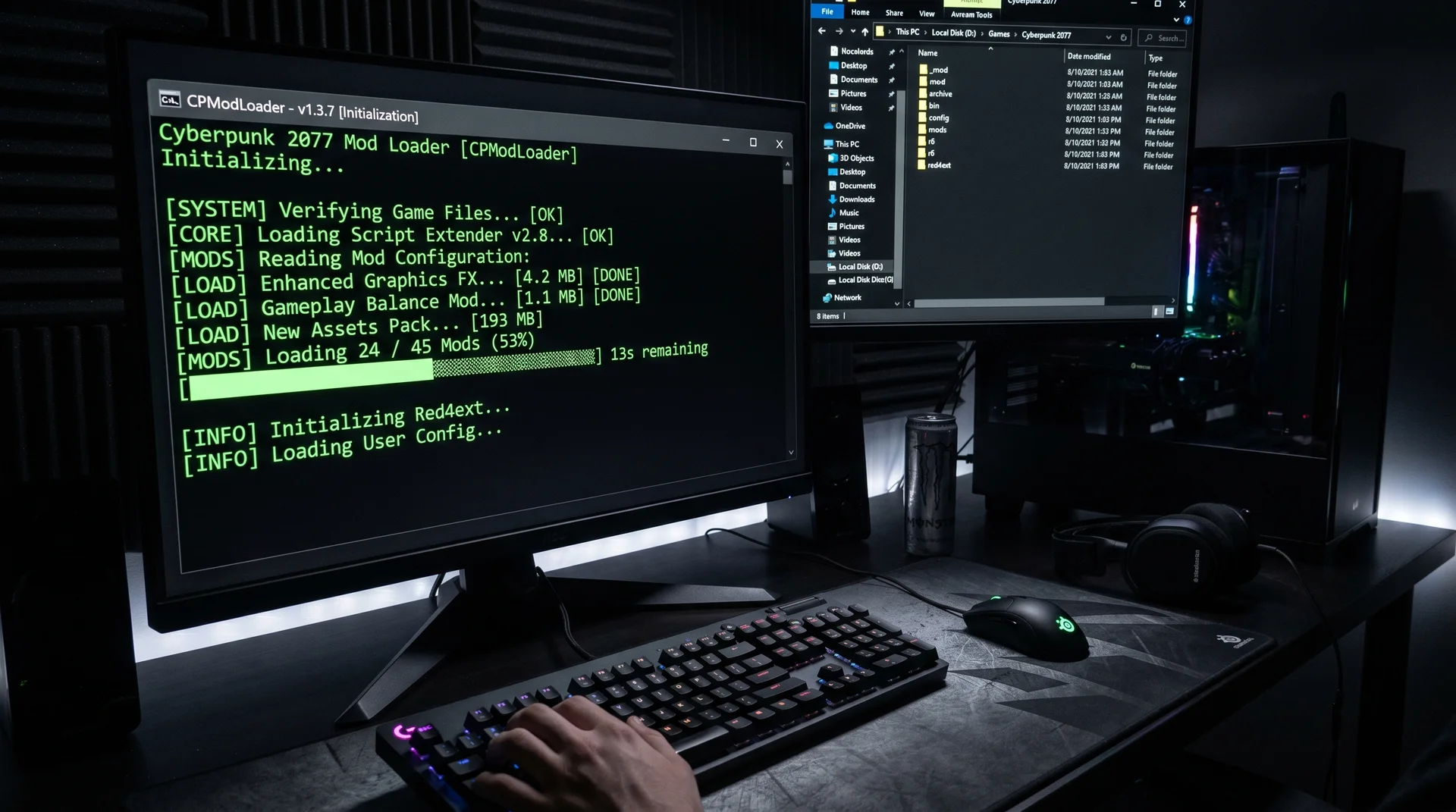
How to Install MelonLoader on Windows
The automated installer handles the heavy lifting, but two prerequisites trip up most failed installs. These must be in place before running MelonLoader or it won’t initialise, regardless of what else you try.
Required prerequisites:
- .NET 6 Desktop Runtime (x64) — version 6.0 specifically; not .NET 7 or 8
- Microsoft Visual C++ 2015–2019 Redistributable (x64) — both available from Microsoft’s download pages
Installation steps:
- Download the installer. Go to melonwiki.xyz and download the
.exeinstaller for Windows. Don’t use the zip file unless you’re on Linux or macOS. - Run the installer. It auto-detects Unity games. If Schedule I doesn’t appear in the list, click “Select Unity Game Manually” and navigate to:
C:\Program Files (x86)\Steam\steamapps\common\Schedule I - Select version 0.7.0 from the dropdown and click Install. This adds
version.dlland aMelonLoaderfolder to your game directory. - Launch Schedule I through Steam. A black console window opens alongside the game — that’s MelonLoader initialising. Wait for it to finish before the game window appears. If this console shows, installation worked.
- Confirm the Mods folder exists. Navigate to
\Schedule I\Mods\. If it’s missing, close the game and relaunch once more — it generates on first run.
IL2CPP vs Mono: The Branch Mismatch That Crashes MelonLoader
This trips up more players than any other modding issue. Schedule I ships in two scripting backends, and mods built for one will not work on the other:
- IL2CPP — the default for all Steam players. Better performance. Most NexusMods picks target this backend.
- Mono — opt-in via Steam’s “alternate” beta branch. Slightly better error handling, lower performance.
Loading a Mono mod while on IL2CPP (or vice versa) crashes MelonLoader on startup with no informative error message. Check your branch before downloading anything: Steam → right-click Schedule I → Properties → Betas tab. “None” selected means you’re on IL2CPP. When downloading mods, look for [IL2CPP], [Mono], or [Both] labels in the mod title or description. When in doubt, stay on IL2CPP and filter for IL2CPP-compatible mods.
Finding Mods on NexusMods and Thunderstore
Go to the Schedule I section on NexusMods and sort by “Most Endorsed” to surface community-vetted picks that have held up through multiple game updates. Thunderstore (thunderstore.io/c/schedule-i) is the better hub for Mono-branch players and includes r2modman, a mod manager that handles dependency resolution automatically instead of requiring manual .dll management.
Before downloading any mod, check three things on the mod page:
- Last updated date — mods not updated since a major patch may be silently broken
- Branch label ([IL2CPP] / [Mono] / [Both])
- Requirements section — some mods list S1API as a dependency; install that first or the mod won’t load
Installing any mod uses the same process: download, extract, place the .dll file directly in \Schedule I\Mods\. Not in a subfolder inside Mods — the root of that folder only.
The 10 Best Schedule I Mods in 2026
Ranked by practical impact within each category. Thunderstore download figures are current as of April 2026.
| Mod | Category | What It Does | Co-Op Safe? | Branch |
|---|---|---|---|---|
| ModsApp | QoL | In-game phone app to configure all mod settings | ✓ Safe | Both |
| Minimap | QoL | Overlay map with POIs, F3 toggle | ✓ Client-side | Both |
| TrashGrabber PLUS | QoL | Removes trash grabber capacity limit entirely | ⚠ Host only | IL2CPP |
| Better Employees | Economy | Configurable speed, wages, station counts, routes | ⚠ All players | Both |
| AutoRestockMono | Economy | Auto-fills empty storage slots and bills bank | ⚠ All players | Mono |
| AutoLaunder | Economy | Restarts laundering cycles automatically | ⚠ All players | Both |
| FPS Boost | Performance | URP/shadow/LOD tuning with FSR upscaling support | ✓ Client-side | IL2CPP |
| StackItemPlus | QoL | Configurable item stacks up to 60 per slot | ⚠ All players | Both |
| OverTheCounter | New Content | Custom storefronts with NPC customers and staff | ⚠ All players | Both |
| MultiplayerPlus | New Content | Expands lobby cap from 4 to 20 players | ✓ Required | Both |
QoL Mods
ModsApp (24,651 Thunderstore downloads) is the mod you install before anything else. It surfaces every other installed mod’s config settings as a phone app inside the game — instead of closing to desktop to edit text files, you adjust values through a proper UI mid-session. In testing, this makes complex mods like Better Employees actually practical to tune rather than set-and-forget. Install this first, before anything else in your Mods folder.
Minimap solves the one genuine navigation friction point in vanilla Schedule I: tracking your dealers and operations without a map. Toggle it with F3. The key advantage over other mods on this list is that it’s client-side — your co-op partners don’t need to install it. This makes it the first recommendation for anyone playing with friends who don’t want to mod.
TrashGrabber PLUS removes the capacity limit from the trash tool, letting you clean entire properties in a single pass. It’s host-only in co-op — clients won’t see the effect unless they also have it installed. For solo play it eliminates one of the more repetitive tasks in mid-game operations.
Economy Mods
Better Employees is the single highest-impact mod on this list. Worker walk speed, wages, the number of stations each employee can handle, and handler route logic are all exposed through an editable config file. The difference between vanilla employee behaviour and a well-tuned Better Employees configuration is measurable in production throughput. For a deeper look at how employee settings interact with the rest of your supply chain, the Schedule I automation guide covers how these systems work together.
AutoRestockMono (11,155 Thunderstore downloads) monitors your storage racks and automatically refills empty slots, charging the cost to your cash or bank account. Note the Mono label — if you’re on the default IL2CPP branch, search NexusMods for the IL2CPP-compatible version instead. AutoLaunder handles the same problem on the money side: when a laundering cycle finishes, it automatically restarts the next one. Together these two mods remove most of the active-management requirement from the production loop — but configure them against vanilla mechanics first so you understand what you’re automating.
Performance Mods
FPS Boost goes further than most performance mods, which typically just disable shadows. This suite exposes URP rendering control, LOD distance overrides, shadow quality settings, and FSR upscaling — genuinely useful on mid-range hardware where Schedule I’s default URP settings trade performance for visual quality you may not need. Client-side only, so it won’t affect co-op partners or cause any session desyncs.
StackItemPlus raises per-slot item stack limits to a configurable maximum (up to 60 by default). The vanilla limits create awkward inventory management in larger operations. All co-op players need the same version installed or inventory states desync between clients.
New Content Mods
OverTheCounter (7,237 Thunderstore downloads) adds a retail storefront layer that doesn’t exist in vanilla: build shop counters, hire NPC staff, configure customer pricing, and sell to walk-ins. It’s a substantially different business model from the vanilla drug distribution operation and is the most actively developed new-content mod in the ecosystem. All co-op players need it installed.
MultiplayerPlus extends the lobby cap from 4 to 20 players. Every session participant needs the same version — mismatched versions block joining entirely. Don’t run this alongside More Players IL2CPP, which targets a 16-player cap; use one player-count mod only.
Starter Pack for First-Time Modders
These three mods work together without conflicts and address the most common player frustrations:
- ModsApp — a proper UI to manage everything you install from here on
- Minimap — safe in co-op, no partner coordination needed
- Better Employees — the fastest path to meaningfully better production numbers
Add AutoLaunder and AutoRestockMono once you understand the production chain well enough to configure them deliberately. Economy automation mods interact with the same game systems that vanilla mechanics cover, and misconfiguring them is harder to diagnose than a broken install.
Multiplayer Co-Op Compatibility
The co-op column in the table uses three distinct values that matter in practice:
- ✓ Client-side — install it yourself; your partners don’t need it. Minimap and FPS Boost work this way. These are the safe mods for sessions with people who aren’t interested in modding.
- ⚠ All players — every person in the session needs the same mod at the same version. Gameplay-state mods (Better Employees, StackItemPlus, OverTheCounter) all fall here. One player missing the mod causes desyncs or blocks joining entirely.
- ✓ Required (MultiplayerPlus) — this mod is the feature itself. Everyone installs it or the expanded lobby doesn’t exist.
If you want to run economy automation mods but your session partner doesn’t want to install anything: run only client-side mods during shared sessions and save the automation mods for solo play. Mixing gameplay-state mod setups between host and clients is the most reliable path to a desynced session.
How to Update Mods Safely
Game updates are the most common reason mods break. The safe process after any Schedule I patch:
- After updating the game, open each mod’s page on NexusMods or Thunderstore and check the “Posts” or “Bugs” tab. Community members typically flag broken mods within hours of a patch.
- If a new mod version is available, download the new
.dll, delete the old one from\Mods\explicitly, then place the new version. Don’t overwrite by dragging the new file on top — delete first to avoid loading duplicate versions simultaneously. - If no update is available yet, remove the broken mod’s
.dllentirely until the author releases a fix. A broken mod loading at startup can cause crashes or, in rare cases, save corruption. Running without the mod is always safer than running a broken version. - Patch note signal: any mention of “scripting changes” or “backend changes” in the patch notes means mods are significantly more likely to break — do a full check before your next session.
Common Installation Errors and Fixes
| Symptom | Likely Cause | Fix |
|---|---|---|
| MelonLoader console never appears on launch | Missing .NET 6 or VC++ prerequisites | Install both prerequisites from Microsoft; rerun MelonLoader installer |
| Game crashes immediately on launch | Wrong branch mod loaded (IL2CPP mod on Mono branch or reverse) | Check Steam Betas tab; clear Mods folder; reinstall branch-correct mod versions |
| Mod downloaded but not appearing in game | .dll placed in a subfolder, not root Mods folder | Move .dll directly to \Schedule I\Mods\ — no subdirectories |
| Mod was working, now broken after update | Game update made mod incompatible with current version | Check mod page for updated version; remove from Mods folder if no update exists yet |
| MelonLoader blocked or flagged on startup | Antivirus flagging version.dll (false positive) | Whitelist the Schedule I folder in your AV settings; reinstall MelonLoader |
For harder-to-diagnose crashes, open \Schedule I\MelonLoader\Logs\latest.log in any text editor and search for lines starting with [ERROR]. These entries identify exactly which mod failed and the exception thrown — significantly more useful than the generic crash screen.
Frequently Asked Questions
Can you play co-op if one player has mods and the other doesn’t?
It depends on the mod type. Client-side mods (Minimap, FPS Boost) work fine — your partner won’t see the effect but also won’t be affected. Any mod that alters gameplay state — economy, inventory limits, employee behaviour — requires all players to have it installed at the same version. The clearest signal is whether the mod changes something the server needs to sync: if yes, everyone needs it. Better mod authors call out co-op requirements explicitly on their download pages.
Does installing mods affect Steam achievements?
Based on community testing, Steam achievements remain active with MelonLoader installed. However, economy mods that add resources or skip progression (like money-generation mods) make achievements hollow — the game won’t block them, but you’ll earn them through unintended paths. If achievement legitimacy matters, stick to QoL and performance mods only and avoid any mod that directly modifies in-game balance or progression speed.
Sources
- Installing MelonLoader — Schedule I Modding Wiki
- Schedule I Mods — Thunderstore
- MelonLoader Schedule I Not Working — lemonloader.com
- The BEST Mods for Schedule I — Steam Community Guide
- Multiplayer Mod Compatibility — Steam Community Discussion
- Schedule I Modding Guide — Steam Community
- Schedule I Mods — NexusMods (nexusmods.com/games/schedule1/mods)

I've been playing video games for over 20 years, spanning everything from early PC titles to modern open-world games. I started Switchblade Gaming to publish the kind of accurate, well-researched guides I always wanted to find — built on primary sources, tested in-game, and kept up to date after patches. I currently focus on Minecraft and Pokémon GO.