
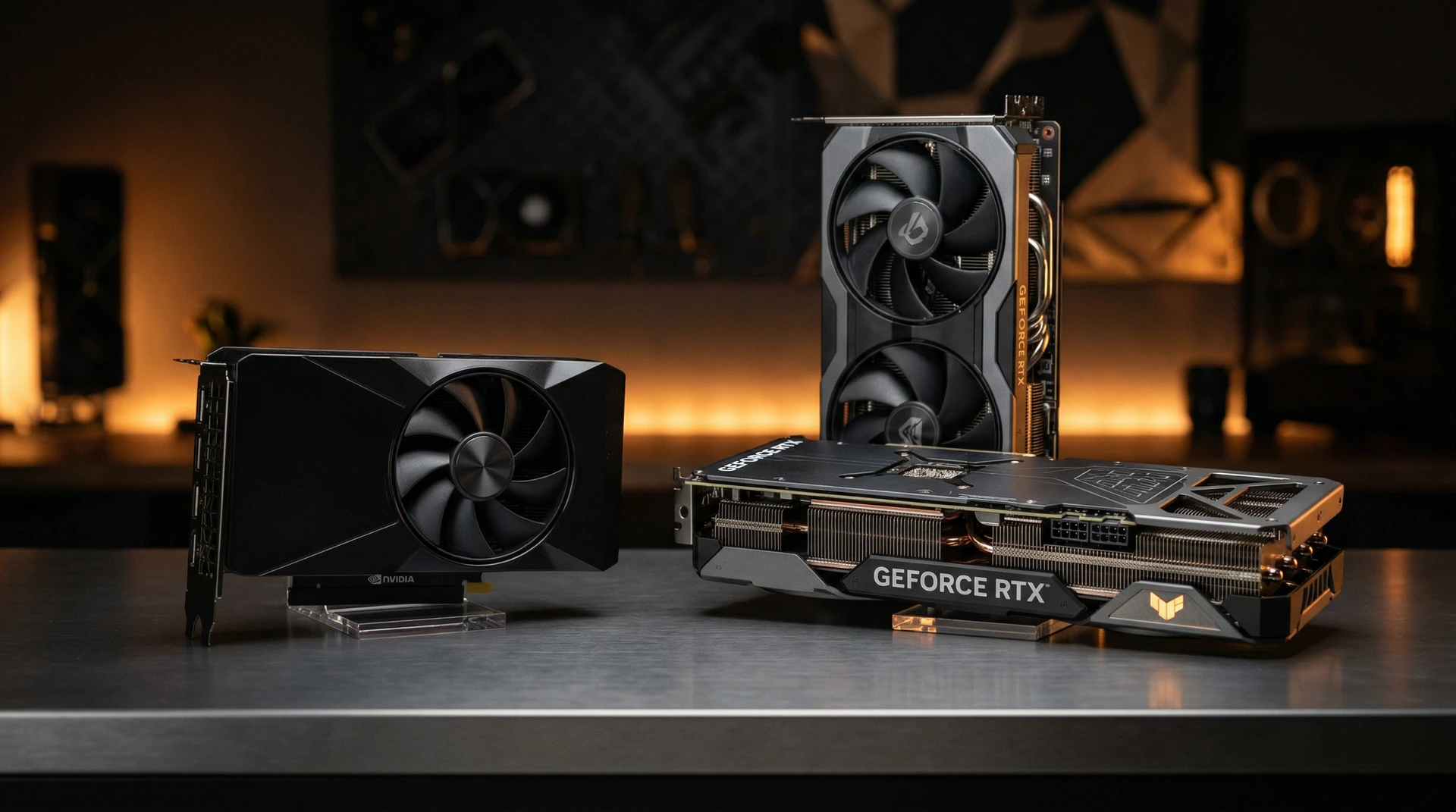
NVIDIA launched three budget Blackwell GPUs in Spring 2025: the $299 RTX 5060, $379 RTX 5060 Ti 8GB, and $429 RTX 5060 Ti 16GB. The card in the middle is the hardest to justify. Here’s why — and which model actually makes sense for your setup.
Short version: the $50 jump from the 8GB Ti to the 16GB Ti is one of the best incremental upgrades in this lineup. The base 5060 is a solid 1080p card. The 8GB Ti sits in an awkward middle ground that rarely wins on value. Read on for the data behind that verdict.
Specs at a Glance
Before picking a card, you need to know what actually separates them — because one assumed difference isn’t there.
| Spec | RTX 5060 | RTX 5060 Ti 8GB | RTX 5060 Ti 16GB |
|---|---|---|---|
| CUDA Cores | 3,840 | 4,608 | 4,608 |
| VRAM | 8GB GDDR7 | 8GB GDDR7 | 16GB GDDR7 |
| Memory Bus | 128-bit | 128-bit | 128-bit |
| Memory Bandwidth | 448 GB/s | 448 GB/s | 448 GB/s |
| Boost Clock | 2.50 GHz | 2.57 GHz | 2.57 GHz |
| TDP | 145W | 180W | 180W |
| MSRP | $299 | $379 | $429 |
The critical row is memory bandwidth: all three cards are identical at 448 GB/s on a 128-bit GDDR7 bus. The RTX 5060 Ti’s performance advantage over the base 5060 comes entirely from 20% more shader cores (3,840 vs 4,608 CUDA cores). The 16GB Ti adds double the VRAM capacity on top of that. No hidden bandwidth advantage exists for the Ti — just more compute and, for the 16GB version, more memory.
This shared 128-bit bus drew criticism at launch. It is the same memory interface that limited the RTX 4060 series, and it remains the ceiling for bandwidth-intensive workloads at all three price points.
Specs verified against ASUS product datasheets and hardware launch documentation, April–May 2025.
1080p Gaming: The RTX 5060 Holds Its Ground
At 1080p, the base RTX 5060 delivers what most gamers need. After NVIDIA declined to distribute review units to independent outlets ahead of the May 2025 launch, GamersNexus purchased hardware independently and published their own benchmarks. Their 1080p averages at high/ultra settings:
- Cyberpunk 2077: 89 FPS
- Dragon’s Dogma 2: 76 FPS
- Starfield: 66 FPS
- Black Myth: Wukong: 66 FPS
That is 60fps+ across current AAA titles without upscaling. Add DLSS Quality mode and you are looking at 90–120 FPS in most of those games. For a $299 card, this is exactly the performance tier it needs to hit.
The RTX 5060 Ti is roughly 15–25% faster at 1080p, driven entirely by the extra CUDA cores. In Cyberpunk, that moves the needle from 89 to approximately 105 FPS. The jump is real — but you were already above 60fps before it. At 1080p, the Ti adds speed, not capability.
The 8GB VRAM ceiling rarely bites at 1080p. Most current titles run comfortably within 8GB at 1080p high settings. The constraint only appears at 1080p ultra with ray tracing enabled in a handful of demanding titles. For everyday 1080p gaming, all three cards handle the VRAM budget without issue.
1080p verdict: The RTX 5060 at $299 is excellent. The Ti’s speed bump is a luxury, not a requirement. If 1080p is your target and your budget is firm, stop here.
1440p Gaming: Where the 8GB Ceiling Hits
At 1440p, the calculation changes. VRAM capacity starts to matter more than shader core count.
The RTX 5060 puts up respectable numbers at 1440p in most games:
- Starfield: 52 FPS
- Dragon’s Dogma 2: 57 FPS
- Black Myth: Wukong: 46 FPS
- Resident Evil 4: 91 FPS
Add DLSS Quality and those numbers improve significantly. The 5060 is playable at 1440p across most titles — until you hit games that push beyond 8GB.
Alan Wake 2 needs over 10GB at 1440p ultra. The Last of Us Part I, Star Wars Outlaws, and Hogwarts Legacy at ultra textures all exceed 8GB at 1440p. When VRAM fills up, assets begin swapping from system RAM, causing stuttering and frame time spikes — not a gradual performance drop, but inconsistent hitching that breaks the experience. The list of titles that break 8GB at 1440p ultra grows with every major release.
Here is what most comparison articles miss: the RTX 5060 Ti 8GB hits the same VRAM wall as the base 5060 in those games. The Ti’s extra shader cores give you 15–25% higher frame rates, but they do not prevent the 8GB cap from causing stuttering in Alan Wake 2 or Hogwarts Legacy at ultra. You reach the same ceiling faster.
The RTX 5060 Ti 16GB removes that ceiling entirely. PCGamesN’s review recorded 73 FPS in Indiana Jones, 81 FPS in Cyberpunk 2077 with ray tracing and DLSS, and 120 FPS in Black Ops 6 with DLSS — with stable frame times in the VRAM-heavy titles where 8GB cards stutter. In RT-heavy scenarios where 8GB variants run out of memory, the 16GB model can outperform them by up to 40% — not because it has more shader cores, but because it is not memory-starved.
1440p verdict: For 1440p AAA gaming, the 5060 Ti 16GB is the right card. The base 5060 and the 8GB Ti both hit 8GB limits in the same demanding games. Spending $80 more on the 8GB Ti over the base 5060 does not change that constraint at 1440p.
DLSS 4 Multi-Frame Generation: Why VRAM Matters More This Generation
NVIDIA’s Multi-Frame Generation (MFG) feature, exclusive to Blackwell-architecture cards, generates multiple intermediate frames between each rendered frame. The output is dramatically higher FPS — but sustaining MFG cleanly also requires more VRAM headroom than traditional DLSS upscaling does.
With MFG enabled at 1440p, the RTX 5060 Ti 16GB outperforms the 8GB model by approximately 22%. The 8GB variant can run MFG, but at 1440p ultra settings the available VRAM headroom is not consistently sufficient — frame generation artifacts compound existing memory pressure. The 16GB model runs MFG without those constraints.
MFG is the technology that makes 100+ FPS at 1440p realistic on mid-range hardware. Game support will grow over the next two to three years, not shrink. If you want to fully use what separates the 5060 series from the 4060 generation — beyond the shader count bump — the 16GB Ti is the configuration that delivers on that promise.
For general system optimization alongside your GPU choice, see our guide to optimizing PC game settings for better FPS.
The Value Math: Why the 8GB Ti Is the Weakest Pick
| Model | Price | vs RTX 5060 | Key advantage |
|---|---|---|---|
| RTX 5060 | $299 | — | Best price-per-frame at 1080p |
| RTX 5060 Ti 8GB | $379 | +$80 / ~20% more cores | Faster 1080p, same 8GB VRAM |
| RTX 5060 Ti 16GB | $429 | +$130 / ~20% more cores + double VRAM | 1440p capable, DLSS 4 MFG ready |
| Ti 8GB → Ti 16GB | +$50 | Same cores, double VRAM | Best incremental upgrade in the lineup |
The $80 jump from the 5060 to the 8GB Ti buys 20% more shader performance. That is a reasonable trade at 1080p if you want extra frame rate headroom in competitive games. But before committing to $379, ask: can you stretch $50 more?
For $50 more than the 8GB Ti, you get the same CUDA cores, the same bandwidth, the same clock speeds — and double the VRAM. The card that stutters in VRAM-heavy 1440p games becomes one that handles them cleanly. There is no better $50 upgrade decision in this product line.
The 8GB Ti occupies an uncomfortable position: it lacks the base 5060’s $299 value story, and it lacks the 16GB Ti’s VRAM headroom. For strict 1080p gamers on a hard $380 budget ceiling, the 8GB Ti is a valid choice. For 1440p gaming, both the 8GB Ti and the base 5060 hit the same memory wall — spending the extra $80 without reaching $429 gives you more FPS but the same bottleneck in demanding games.
Who Should Buy Which GPU
Work through this decision path to find your card:
Are you gaming at 1440p in AAA titles? → RTX 5060 Ti 16GB ($429). Both 8GB variants hit VRAM limits in demanding 1440p games.
Do you want DLSS 4 Multi-Frame Generation without caveats? → RTX 5060 Ti 16GB ($429). MFG’s VRAM requirements push 8GB models into constrained territory at 1440p.
Is your budget a hard $299? → RTX 5060. Excellent at 1080p — no compromise needed within that resolution.
Can you reach $379 but not $429? → Consider the base RTX 5060 instead. The $80 saves money without losing 1440p VRAM headroom you would not have at $379 anyway. The 8GB Ti only wins when you need more 1080p performance and $429 is genuinely out of reach.
| Gaming Profile | Recommended GPU | Reasoning |
|---|---|---|
| Strict 1080p, budget priority | RTX 5060 ($299) | 60fps+ in all current AAA titles; 8GB not limiting at 1080p |
| 1080p competitive/esports (CS2, Valorant, Apex) | RTX 5060 ($299) | Competitive titles don’t push 8GB; extra cores go unused |
| 1080p AAA with RT enabled | RTX 5060 Ti 16GB ($429) | RT titles push VRAM at any resolution; 16GB provides headroom |
| 1440p general gaming | RTX 5060 Ti 16GB ($429) | 8GB hits ceiling in demanding AAA titles by late 2025 |
| 1440p AAA ultra settings | RTX 5060 Ti 16GB ($429) | Multiple current games already need 10GB+ at 1440p ultra |
| Hard $379 ceiling, 1080p only | RTX 5060 Ti 8GB ($379) | Only scenario where Ti 8GB clearly beats the base 5060 |
| Upgrading from RTX 4060 or older | RTX 5060 Ti 16GB ($429) | Meaningful step up; 16GB longevity justifies $130 premium |
Frequently Asked Questions
Is 8GB VRAM enough for gaming in 2026?
At 1080p, yes — most titles stay within 8GB at high settings. At 1440p ultra, no. Alan Wake 2, The Last of Us Part I, and Star Wars Outlaws already push past 8GB at 1440p ultra settings. The issue is not theoretical: you will see stuttering in those games on any 8GB card, including the RTX 5060 Ti 8GB. The list of titles that exceed 8GB at 1440p will grow, not shrink, over the next two years.
Is the RTX 5060 Ti worth $130 more than the RTX 5060?
Specifically the 16GB variant, and specifically for 1440p gaming: yes. The combination of 20% more shader performance plus double the VRAM makes the Ti 16GB a different category of card for games that push beyond 8GB. For strict 1080p gaming, the $130 premium is harder to justify — the base 5060 handles 1080p well enough that spending more for headroom you will not use does not make financial sense.
Should I skip the RTX 5060 Ti 8GB entirely?
In most situations, yes. For 1440p gaming, the 8GB Ti has the same VRAM limitation as the base 5060 in the games that matter — it just hits that wall faster. For strict 1080p, the base 5060 at $80 less is better value per dollar. The 8GB Ti makes clear sense only when you have a hard $379 budget ceiling and are gaming at 1080p in titles that are GPU-heavy but VRAM-light: competitive games, older AAA titles at medium settings.
Sources
- GamersNexus — RTX 5060 GPU Benchmarks (independent, purchased hardware)
- GamersNexus — RTX 5060 Ti Review and Benchmarks
- PCGamesN — Nvidia GeForce RTX 5060 Ti Review
- Club386 — RTX 5060 Series 128-bit Memory Bus Confirmed
- Wikipedia — GeForce RTX 50 Series Hardware Specifications
- PC Game Check — Is 8GB VRAM Enough in 2026?

I've been playing video games for over 20 years, spanning everything from early PC titles to modern open-world games. I started Switchblade Gaming to publish the kind of accurate, well-researched guides I always wanted to find — built on primary sources, tested in-game, and kept up to date after patches. I currently focus on Minecraft and Pokémon GO.