
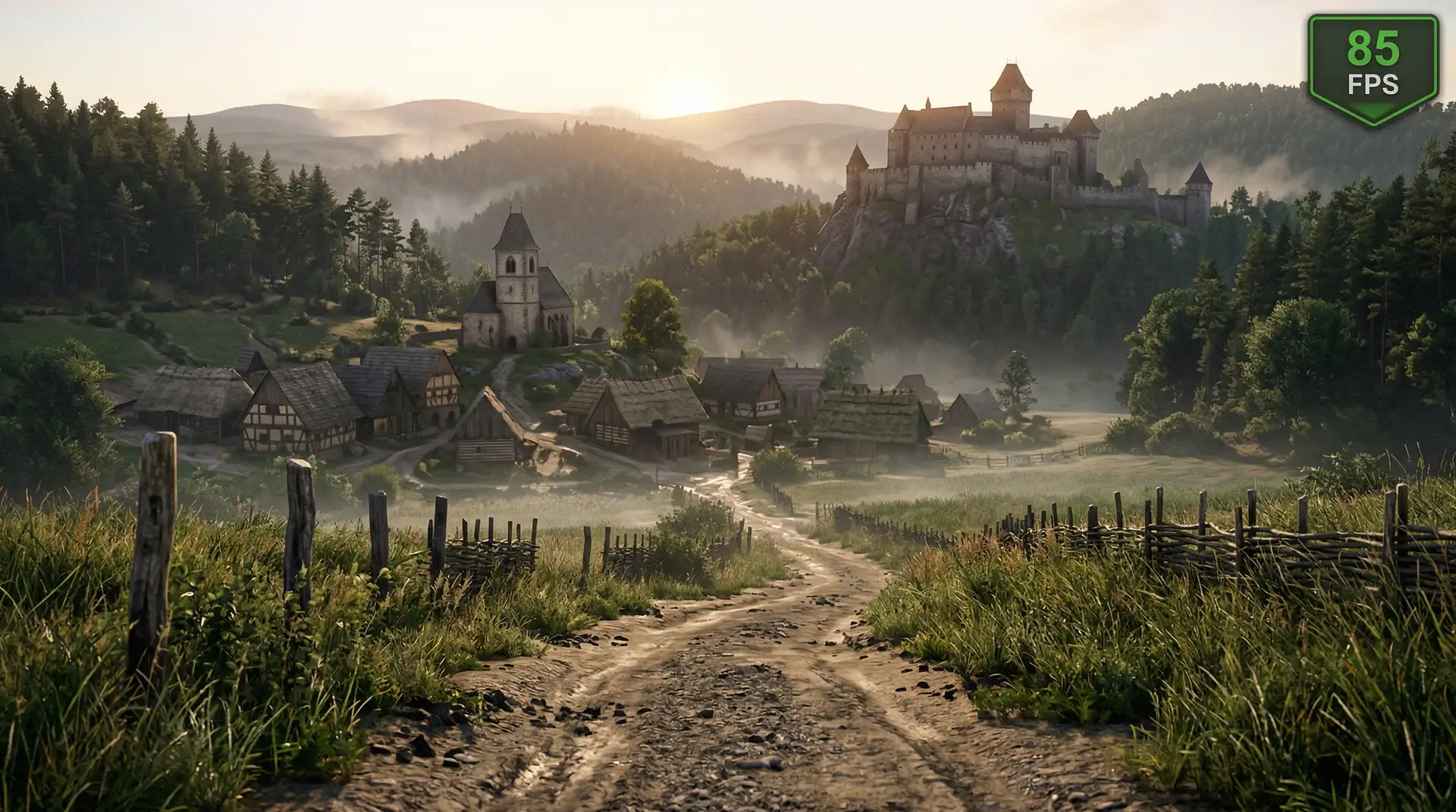
Kingdom Come: Deliverance 2, released in February 2025, is one of the most technically demanding open-world RPGs on PC. Built on a heavily customised version of CryEngine, the game recreates medieval Bohemia with dense NPC populations, realistic physics simulation, and a sprawling open world filled with detailed vegetation and dynamic weather. These systems combine to create hardware demands that frequently exceed what the official system requirements suggest — particularly during the game’s densely populated towns and market squares. This guide identifies the settings that move the needle most on PC performance, explains why towns and wilderness behave so differently, and provides GPU-tier presets that deliver smooth play across all hardware classes.
For a comprehensive guide to optimising your PC for any game, see our PC game performance optimisation guide. To understand what each graphics setting actually does, our game settings explained guide covers the underlying rendering techniques in detail.
Kingdom Come Deliverance 2 System Requirements
Warhorse Studios published three official hardware tiers for KCD2. The minimum specification represents a playable experience at 1080p Low settings; the recommended tier targets 1080p High at 60 FPS; the ultra tier is designed for 4K play at maximum settings.
| Tier | CPU | RAM | GPU | Storage |
|---|---|---|---|---|
| Minimum | Intel Core i5-8600K / AMD Ryzen 5 3600 | 16 GB | GTX 1060 6GB / RX 5700 | 100 GB SSD |
| Recommended | Intel Core i7-10700K / AMD Ryzen 7 5800X3D | 16 GB | RTX 3070 / RX 6800 | SSD |
| Ultra | Intel Core i9-13900K / AMD Ryzen 9 7950X3D | 32 GB | RTX 4090 / RX 7900 XTX | NVMe SSD |
The Ryzen 7 5800X3D appearing in the recommended specification is deliberate. Kingdom Come: Deliverance 2 simulates NPC schedules, dialogue states, and physical interactions for hundreds of characters simultaneously — a cache-intensive workload that benefits substantially from AMD’s 3D V-Cache architecture. If you are building or upgrading a system for KCD2 and can choose between a standard Ryzen 7 and a V-Cache model at the same price point, the V-Cache variant delivers a meaningful CPU advantage specifically in the game’s densely populated town areas.
KCD2 Best PC Settings by GPU Tier
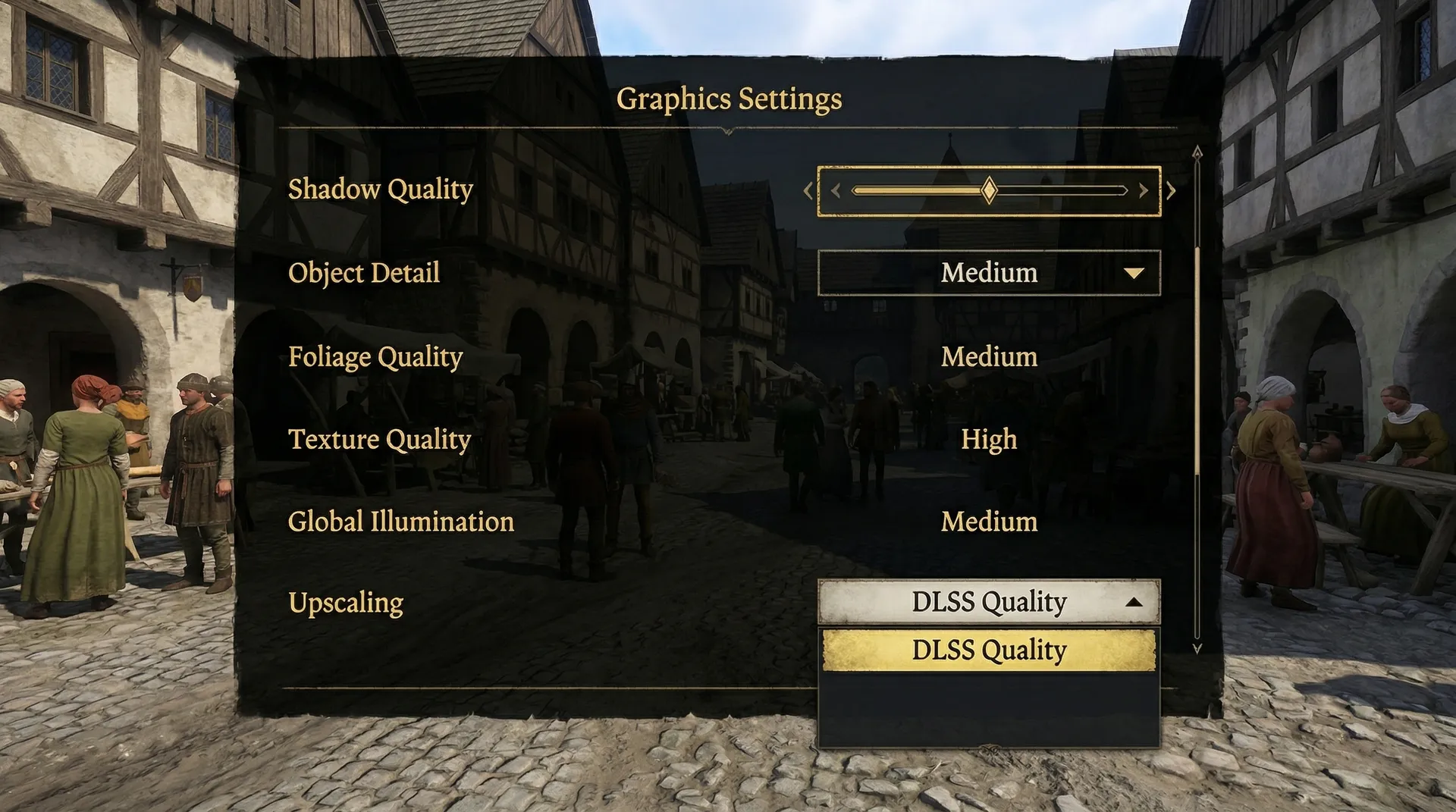
| Setting | Budget (GTX 1060 / RX 5700) | Mid-Range (RTX 3070 / RX 6700 XT) | High-End (RTX 4070 / RX 7900 XT) |
|---|---|---|---|
| Texture Quality | Medium | High | Ultra |
| Shadow Quality | Low | Medium | High |
| Object Detail | Low | Medium | High |
| Foliage Quality | Low | Medium | High |
| Water Quality | Medium | High | Ultra |
| Global Illumination | Off | Medium | High |
| Upscaling | FSR 3 Quality | DLSS Quality / FSR 3 Quality | DLSS Quality or Off |
| Anti-Aliasing | TAA | TAA / DLAA | DLAA |
| Motion Blur | Off | Off | Player preference |
| Ray Tracing | Off | Off | Off or Low |
| FPS Target | 60 | 60–120 | Uncapped / 120 |
CryEngine in KCD2: Why This Game Behaves Differently
Kingdom Come: Deliverance 2 runs on Warhorse Studios’ extensively modified version of CryEngine — the same engine lineage that powered the original Crysis games. CryEngine was designed from the outset for large outdoor environments with physically based rendering, which makes it a natural fit for KCD2’s Bohemian landscape. However, the engine’s architecture means certain rendering systems behave differently than in Unreal Engine or id Tech–based games, and understanding this helps you choose the right settings to reduce.
Shadow rendering in CryEngine uses cascaded shadow maps (CSMs), where multiple shadow resolutions are computed at increasing distances from the camera simultaneously. Reducing Shadow Quality in KCD2 reduces the cost of all cascaded shadow map tiers at once — not just distant shadows. The savings compound across the full view distance, which is why Shadow Quality has such a disproportionate impact in KCD2 compared to many modern titles. Object Detail controls the LOD (level of detail) transition distances across the entire scene, meaning every building, NPC, tree, and prop in view is affected simultaneously when this setting is adjusted — making it the second most powerful performance lever after shadows.
Shadow Quality: The Biggest FPS Lever in KCD2
Shadow Quality is the first setting to reduce when targeting better performance in Kingdom Come: Deliverance 2. On mid-range hardware at 1080p, the difference between High and Medium Shadow Quality delivers approximately 15–25% GPU time savings — more than any other single setting. Moving from Medium to Low adds a further 10–15% GPU savings.
In practical terms on an RTX 3070: High shadows typically produce 52–62 FPS in open countryside. Dropping to Medium recovers 10–14 FPS in those same areas. In complex outdoor scenes with multiple simultaneous light sources — direct sunlight, torches, fires, and environmental reflections all casting shadows at once — the benefit of reducing Shadow Quality compounds further because each light source’s shadow calculation is reduced independently.
The visual trade-off is manageable. Medium shadows in KCD2 retain the essential shadow character of the scene — buildings cast clear shadows on cobblestone streets, NPCs cast visible shadows at midday. Edge softness increases and contact shadow detail reduces, but the overall lighting impression is preserved. At Low, shadows become noticeably approximate in close-range scenes. Medium is the recommended floor for players who value visual quality alongside performance; Low is appropriate for budget hardware or sub-minimum specifications targeting 60 FPS.
Object Detail and Foliage: Managing Open-World Cost
Object Detail controls the LOD transition distances for buildings, NPCs, props, and interactive objects across KCD2’s open world. Higher settings maintain detailed object representations at greater camera distances — important in a game where Bohemia’s hilltop castles and distant villages are frequently visible across kilometres of terrain. Reducing Object Detail from High to Medium saves approximately 8–12% GPU time in complex outdoor scenes. The main visual trade-off is earlier LOD pop-in as you traverse the countryside, which is more noticeable in a first-person perspective than it would be in a top-down or third-person view.
Foliage Quality controls the density and LOD distances for trees, bushes, grass, and vegetation — which covers a significant proportion of KCD2’s landscape between settlements. In heavily forested river valleys and the wooded countryside, Foliage Quality accounts for 10–15% of GPU frame time. In towns and open fields the impact is substantially lower. Low Foliage Quality on budget hardware does not produce a visually bare landscape — the underlying terrain sculpting and texture work of KCD2’s environments maintains visual integrity even with reduced vegetation density. For mid-range hardware, Medium Foliage provides a good balance: full grass density at short range with earlier LOD transitions for distant tree geometry.
The Town CPU Bottleneck: Kuttenberg and Dense Settlements
KCD2’s towns — particularly Kuttenberg, the game’s largest city — represent a fundamentally different performance scenario from the open countryside. While wilderness areas are primarily GPU-bound, town interiors combine dense NPC populations with complex AI simulation to produce a CPU bottleneck that GPU settings cannot resolve.
Performance issues? dragons dogma pc has the settings fix.
Kuttenberg simulates hundreds of NPCs simultaneously, each running individual daily schedules, pathfinding, dialogue states, and physics collision. These character simulations are evaluated on the CPU every frame. When the CPU cannot complete these calculations within the frame budget, the GPU sits idle waiting for draw call data — causing frame time spikes that reduce average FPS regardless of visual settings. This is the performance paradox KCD2 players commonly observe: reducing Shadow Quality or enabling FSR improves wilderness FPS meaningfully but produces minimal improvement in Kuttenberg’s market square.
Town FPS is your CPU benchmark, not your GPU benchmark. Expect 20–35% lower FPS in Kuttenberg and large settlement areas compared to open countryside regardless of GPU configuration — this gap reflects the simulation overhead, not a misconfigured GPU setting. A faster CPU with more cache (Ryzen X3D series, modern Intel Core) produces the most meaningful improvement here. GPU settings can reduce GPU overhead in towns, but if the bottleneck is the CPU simulation thread, additional GPU headroom goes unused.
DLSS, FSR, and XeSS Upscaling in KCD2
Kingdom Come: Deliverance 2 supports DLSS (NVIDIA RTX series), FSR 3 (any DirectX 12 GPU), and Intel XeSS (any DX12 GPU). For a full comparison of these upscaling technologies, see our DLSS vs FSR vs XeSS guide.
DLSS Quality on RTX 20–30 series renders at approximately 67% of native resolution, using NVIDIA’s AI reconstruction to restore near-native image quality. On an RTX 3070 at 1080p, DLSS Quality typically adds 15–25% FPS headroom — enough to play at High Shadow Quality without dropping below 60 FPS in demanding outdoor areas. DLSS 3 Frame Generation on RTX 40 series adds a further 30–50% effective FPS increase through AI-generated intermediate frames, making Ultra settings viable on RTX 4070 hardware at 1080p and 1440p. KCD2’s DLSS integration is stable with no significant ghosting on the game’s detailed fabric and chain mail textures.
FSR 3 is compatible with any DX12 GPU, including GTX 10-series and all AMD Radeon cards. FSR 3 Quality at 1080p renders at approximately 67% native resolution using spatial upscaling. Image quality is acceptable during active gameplay, though FSR produces more edge shimmering than DLSS on KCD2’s fine foliage detail and armour textures. For budget hardware targeting 60 FPS at 1080p Medium settings, FSR 3 Quality is the recommended upscaling choice. FSR 3 Frame Generation is also available in KCD2 for any DX12 GPU that can sustain at least 45 FPS base — pairing FSR 3 Quality with Frame Generation on an RX 6700 XT can push well beyond 60 FPS at High settings.
For NVIDIA GPU users, also review the NVIDIA Control Panel settings guide for per-game profile options including Low Latency Mode and Shader Cache configuration that complement in-game upscaling. Enabling Low Latency Mode: Ultra reduces input lag during sword combat and lock-picking — both input-sensitive gameplay systems in KCD2.
Global Illumination and DirectX 12
Global Illumination (SSGI) controls the quality of indirect lighting — the soft ambient bounce light that fills interior shadows, illuminates the underside of dense tree canopy, and produces the characteristic warm glow of KCD2’s tavern interiors at night. SSGI carries approximately 8–12% GPU overhead on mid-range hardware. In daylight outdoor scenes where direct sunlight dominates, the impact of disabling SSGI is minimal. In interior scenes and forested paths, Medium or High GI produces noticeably richer, more realistic ambient lighting. For budget hardware, Off is acceptable. For mid-range and above, Medium GI at roughly 8% GPU cost is a worthwhile trade-off for the visual improvement in enclosed and forested environments.
KCD2 supports both DirectX 11 and DirectX 12. DirectX 12 is recommended on Windows 10 and 11 for its superior multi-threaded draw call submission, which reduces CPU overhead during the NPC simulation–heavy town scenarios. On GPUs with driver-level DX12 support issues, DX11 remains a stable fallback — but for the majority of players on modern NVIDIA and AMD hardware, DX12 provides equal or better performance with lower CPU frame times in populated areas.
Frequently Asked Questions
What is the single best change to improve KCD2 performance?
Reduce Shadow Quality by one tier. Due to CryEngine’s cascaded shadow map architecture, Shadow Quality is the highest-impact setting in Kingdom Come: Deliverance 2 — the GPU savings apply across the entire view distance simultaneously. On mid-range hardware, dropping from High to Medium Shadow Quality typically recovers 15–25% GPU time in open-world areas. This is the first and most effective change to make when targeting a meaningful FPS improvement.
Why is KCD2 FPS lower in Kuttenberg than in the countryside?
Kuttenberg is CPU-bound. The city simulates hundreds of NPCs with individual AI schedules, pathfinding, physics interactions, and dialogue states running on the CPU each frame. When the CPU cannot complete these calculations within the frame budget, the GPU sits idle regardless of graphics settings. GPU settings (shadows, upscaling, foliage) have limited impact on this specific bottleneck. A faster CPU — especially a Ryzen X3D model with large L3 cache — produces the most meaningful improvement in Kuttenberg. Expect 20–35% lower FPS in city areas compared to wilderness as a baseline, regardless of GPU tier.
Should I use DLSS, FSR, or XeSS in Kingdom Come Deliverance 2?
Use DLSS if you have an RTX GPU — DLSS Quality produces superior reconstruction quality to FSR in KCD2’s detailed environments, and DLSS 3 Frame Generation on RTX 40 series is a significant FPS multiplier for Ultra settings play. Use FSR 3 on GTX or AMD Radeon hardware — FSR 3 Quality at 1080p delivers good performance gains with acceptable image quality during active gameplay. For the full upscaling technology comparison, see our DLSS vs FSR vs XeSS guide.
Is Kingdom Come Deliverance 2 more CPU or GPU demanding?
Both, depending on location. Open countryside and combat scenarios are primarily GPU-bound — visual settings directly impact FPS. Towns are CPU-bound due to NPC simulation density. The practical consequence is that GPU optimisation (shadows, upscaling) improves outdoor and combat performance, while CPU performance determines your town experience. A balanced system — mid-range GPU paired with a modern CPU with good single-thread performance — handles both scenarios better than a GPU-heavy build with a bottlenecked processor.
Sources
- Warhorse Studios. Kingdom Come: Deliverance 2 — Official Site and PC System Requirements. kingdomcomerpg.com.
- Valve Corporation. Kingdom Come: Deliverance II — System Requirements and Performance Specifications. store.steampowered.com.
- Tom’s Hardware. GPU Benchmarks and PC Gaming Performance Analysis. Future Publishing.
- PCGamesN. Kingdom Come Deliverance 2 PC Performance and Best Settings Guide. Network N.

I've been playing video games for over 20 years, spanning everything from early PC titles to modern open-world games. I started Switchblade Gaming to publish the kind of accurate, well-researched guides I always wanted to find — built on primary sources, tested in-game, and kept up to date after patches. I currently focus on Minecraft and Pokémon GO.